
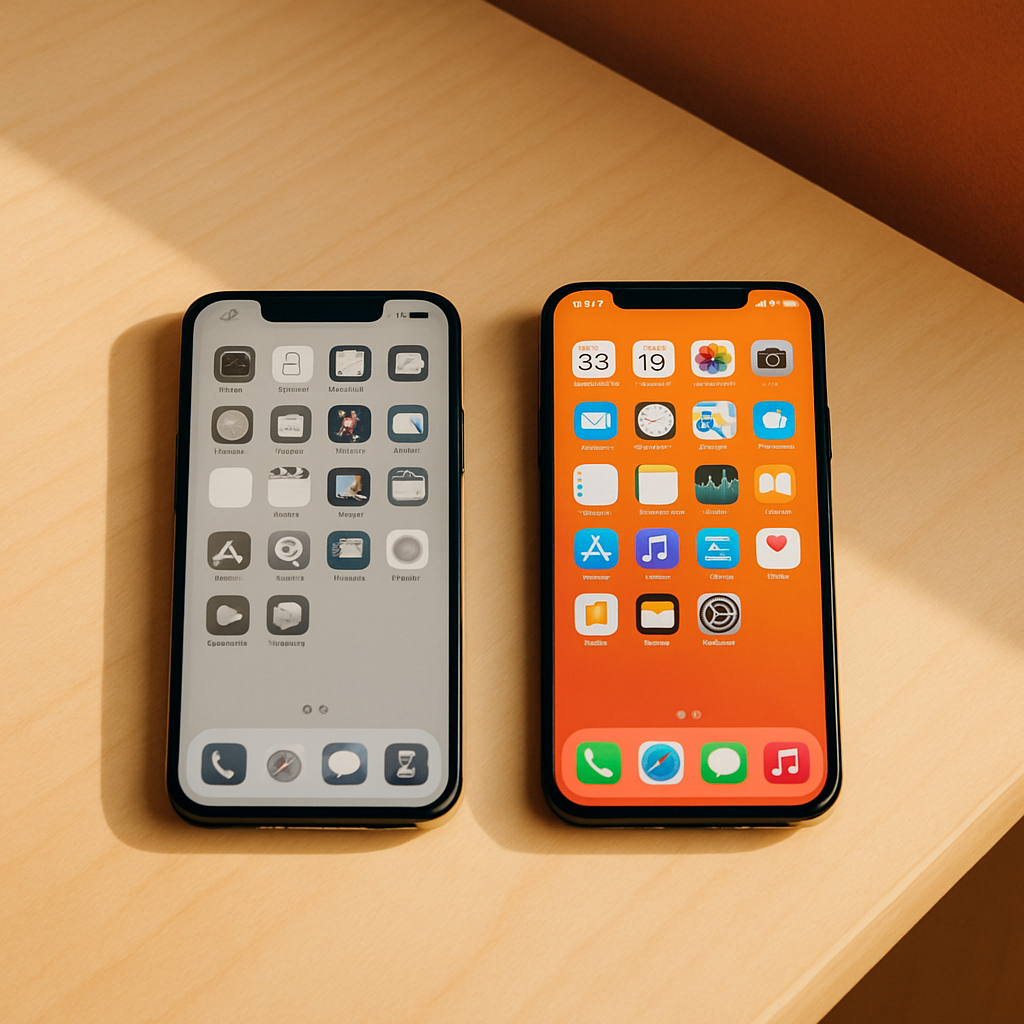
Grayscale and notifications-off are tiny, free settings changes with measured drops in screen time and distraction.
The situation, the move, the outcome.
The phone is designed to grab attention with color and buzz — so two of the simplest counters are to remove both. In a controlled study, switching the screen to grayscale reduced daily screen time by about 20 minutes and left users feeling more in control, by stripping out the colorful cues that trigger dopamine-driven checking. Separately, research on notifications found that constant alerts degrade focus and even produce ADHD-like inattention, while muting them correlates with better concentration. Neither requires an app or a purchase — just a settings change.
Why it matters beyond one family.
These tweaks work because they target the design, not the willpower. They won't fix everything (deep-rooted checking habits persist), but as near-zero-effort experiments they punch above their weight.
How to apply it.
- Try grayscale for a week and let your teen judge whether the phone feels less magnetic.
- Turn off non-essential notifications — keep messages from real people, mute the rest.
- Model it on your own phone; teens notice hypocrisy fast.
Concrete next steps.
- Enable grayscale via accessibility/color-filter settings (or a quick-toggle shortcut).
- Audit notifications app-by-app and switch off badges and banners you don't need.
- Combine with Focus/Do Not Disturb modes during homework and sleep.
Read it for yourself.
- Media Psychology (Sage) — grayscale smartphone intervention and well-being journals.sagepub.com ↗
- PMC — the hidden cost of a smartphone: notifications and cognitive control pmc.ncbi.nlm.nih.gov ↗
Call or text 988 (Suicide & Crisis Lifeline, 24/7) · Text HOME to 741741 (Crisis Text Line) · Find a child psychiatrist at aacap.org · For immediate danger, call 911.